Blog
Get Pay Right on ADP Workforce Now® Next Gen™
Bringing trusted compensation intelligence and seamless planning to even more ADP users.
Written by Salary.com Staff
September 28, 2025
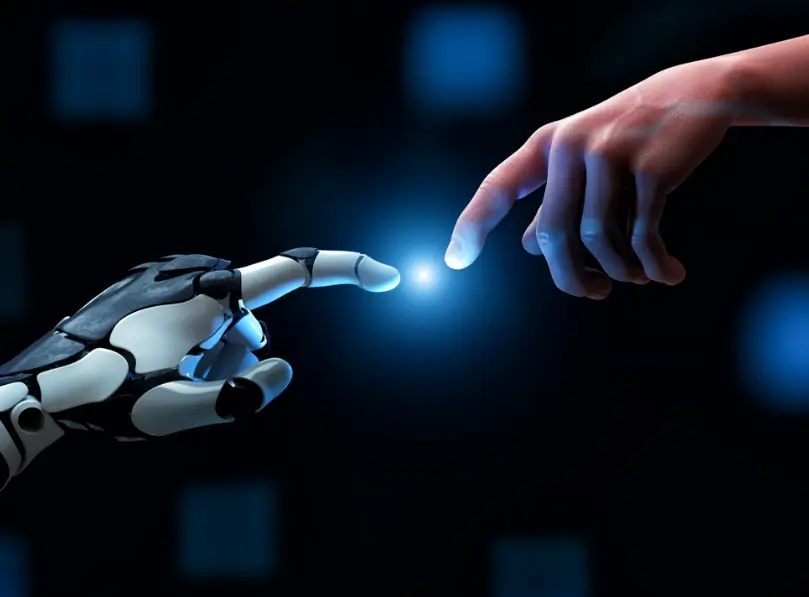
Artificial intelligence is fundamentally reshaping the modern workplace. From recruitment and onboarding to daily workflows and career development, the integration of AI tools is not merely a technological upgrade but a strategic shift in how organizations manage and engage their most valuable asset: their people. This transformation, known as the AI employee experience, is rapidly becoming a key differentiator for forward-thinking companies.
Deploy the CompAnalyst AI Suite, and let Smart Agents match job, price roles, and build structure for you.
This article provides a comprehensive overview of the AI employee experience. It will define what this concept means, explore its impact on the employee lifecycle, and outline the benefits and challenges associated with its adoption. Furthermore, it will offer a practical, step-by-step guide for business leaders looking to leverage AI to create a more efficient, personalized, and engaging work environment.
AI employee experience refers to the use of artificial intelligence technologies to improve and personalize the interactions and processes an employee encounters throughout their tenure with a company. This integration of AI aims to:
streamline tasks,
provide data-driven insights,
and create a more supportive and engaging work environment.
AI technology can be woven into every stage of the employee experience:
Recruitment and onboarding: AI tools can source and screen candidates, while AI-powered assistants can guide new hires through the onboarding process for better AI employee experience.
Training and development: AI platforms analyze employee data and offer personalized learning paths and recommend courses based on an employee's skills and career goals.
Daily work and engagement: AI automates repetitive tasks, provides instant support via chatbots, and analyzes employee feedback to gauge sentiment and satisfaction.
Performance and retention: Machine learning algorithms can identify patterns in employee data to predict engagement levels and help managers proactively address potential retention risks.
Don’t wait to modernize your HR approach. With Salary.com’s AI-driven platform, you can turn data into action, ensuring pay equity, improving retention, and unlocking the full potential of AI in employee experience.
Integrating AI solutions into HR and daily operations has a profound effect on how employees work, learn, and connect with their organization. The benefits are significant, but they are accompanied by challenges that require careful consideration.
Efficiency and time savings: One of the most immediate benefits of AI implementation is the automation of routine, administrative tasks. AI-powered solutions can handle repetitive tasks such as scheduling, process expense reports, and answer common HR queries, freeing up employees and HR professionals to focus on more strategic, high-value work.
Personalized learning and development opportunities: AI platforms analyze an employee's skills, performance data, and career aspirations to recommend tailored training programs. A McKinsey case study found that AI-enhanced learning solutions can improve operational efficiency by up to 15% and increase productivity by up to 20%.
Improved communication and HR support: AI chatbots and virtual assistants provide employees with 24/7 access to information and real-time feedback. Whether an employee has a question about benefits or needs IT support, these tools offer instant responses, improving the speed and accessibility of internal support services.
Enhanced employee engagement: By using predictive analytics, business leaders can gain deep insights into workforce trends. AI tools can analyze employee feedback and engagement data to identify areas of concern, allowing managers to intervene proactively and foster a more positive workplace culture and business outcomes.
While AI offers transformative potential, business leaders must also navigate its complexities.
Pros:
Better personalization: AI systems deliver customized experiences, from onboarding to career pathing, which align with individual employee needs.
Data-driven insights: AI-powered tools provide leaders with actionable analytics to make informed decisions about talent management and workplace culture.
24/7 support availability: AI systems offer round-the-clock assistance, ensuring employees get the help they need when they need it.
Scalable solutions: AI systems can be scaled across the organization to deliver consistent AI employee experience to a growing workforce.
Cons:
Risk of bias in algorithms: AI models are trained on historical data, which may contain inherent biases. If not properly audited, these operating model systems can perpetuate and even amplify discriminatory practices in hiring and promotions.
Privacy concerns: The collection and analysis of employee data raise significant data security and privacy issues. Organizations must be transparent about how data is used and establish strict governance to protect sensitive information.
Over-reliance on technology: A dependency on AI can diminish human interaction. It's crucial to strike the right balance where technology empowers employees rather than replaces meaningful personal connections and human touch.
Adopting AI requires a thoughtful and strategic approach. Here is a seven-step guide for business leaders to successfully integrate AI in employee experience framework.

Identify the key moments in the employee experience, from application to exit. Determine which touchpoints, such as onboarding, performance reviews, or career development discussions, could be most improved with artificial intelligence.
Ensure your organization has high-quality, clean employee data. Establish clear data governance policies to maintain compliance with privacy regulations and ensure the ethical use of information.
Define what success looks like. Establish key performance indicators (KPIs) to measure the impact of AI initiatives on metrics like employee engagement, retention, and time-to-hire. Set up ethical guardrails to prevent bias and protect employee privacy.
Begin with small, focused pilot projects. Implementing an HR chatbot to handle common queries or using an AI tool to streamline the onboarding process are excellent starting points. These projects allow you to test the technology and demonstrate value with lower risk.
Collect feedback from employees and managers involved in the pilot projects. Use this input to refine your approach and improve AI employee experience. Track adoption rates and measure performance against your established KPIs.
Train your HR teams and managers to use AI tools effectively. They need to understand how to interpret AI-driven insights and technology to support their teams.
Once your pilot projects prove successful, begin to scale your AI solutions across other departments. Maintain strong governance and continue to monitor for bias and privacy risks as you expand.
AI is already making a tangible difference in how organizations engage with their employees. Here are five practical examples:
AI-driven onboarding assistants: Big companies like Unilever use these tools to guide new hires through their first weeks, providing checklists, answering questions, and connecting them with relevant resources and team members.
Personalized learning and career path recommendations: Platforms like Salesforce's Career Connect use machine learning to suggest internal roles and skill-building opportunities based on an employee's profile and goals.
AI chatbots for instant HR/IT support: Employees of GFT can get immediate answers to common questions about payroll, benefits, or technical issues, improving efficiency and satisfaction.
Sentiment analysis of employee feedback: IBM uses AI tools to analyze survey responses, messages, and other forms of feedback to gauge overall employee sentiment, helping leaders identify and address morale issues.
Predictive analytics for employee engagement and retention: By analyzing patterns in employee data (such as absenteeism or system usage), AI can help predict which employees are at risk of disengagement or departure, allowing managers to intervene just like what IBM does.
The future of work isn’t just about technology; it’s about using AI to create a more human, engaging employee experience. Explore Salary.com’s AI solutions and turn data into action, driving pay equity, engagement, and retention.
Here are some frequently asked questions about AI employee experience:
Managers can use tools like Salary.com’s AI-powered analytics to identify engagement trends and understand team sentiment. AI feedback tools also foster transparency by allowing employees to share their thoughts anonymously, giving leaders unfiltered insights to drive cultural improvements and improve AI employee experience.
Yes, as part of a great AI employee experience, AI enhances engagement by providing personalized support, such as tailored learning recommendations and instant answers to HR questions. AI-powered recognition systems can also be used to acknowledge employee achievements, while continuous feedback loops help employees feel heard and valued.
Discover the CompAnalyst AI Suite, your all-in-one platform for data-driven decisions.
AI streamlines interactions with HR. AI in employee experience includes the use of chatbots to get fast, 24/7 responses to repetitive queries about policies or benefits. This frees up HR professionals from administrative tasks, allowing them to focus on more strategic initiatives like talent development and employee relations.

The latest research, expert advice, and compensation best practices all in one place.
Blog
Bringing trusted compensation intelligence and seamless planning to even more ADP users.

Blog
Learn how to train managers for effective pay conversations and build trust.

Blog
Total rewards package flexibility lets employees choose what matters - pay, perks, and benefits tailored to their needs.